One colony,one complete history.
Apiary, hive type, queen, boxes, frames, inspections, images, feeding, treatments and harvests remain attached to the correct colony.
- Colony details
- Inspection history
- QR and NFC access
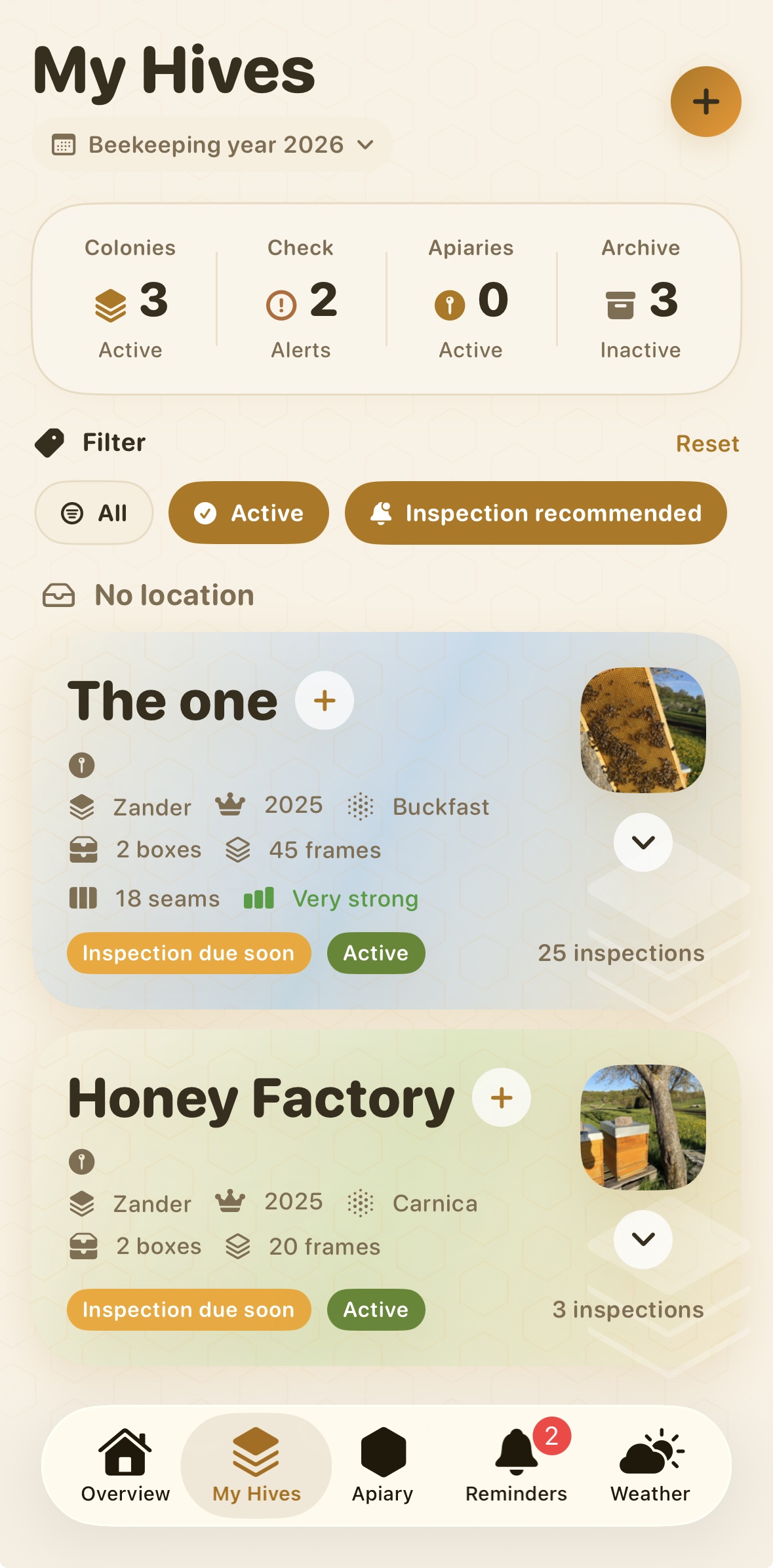
Open a colony and understand its current state.
The hive record separates stable details from dated observations, so the latest status never replaces the history that led to it.
- ✓Core dataApiary, hive type, queen, boxes and frames.
- ✓Current signalsLast inspection, occupied seams and points requiring attention.
- ✓Long-term historyInspections, treatments, feeding, photos and harvests.
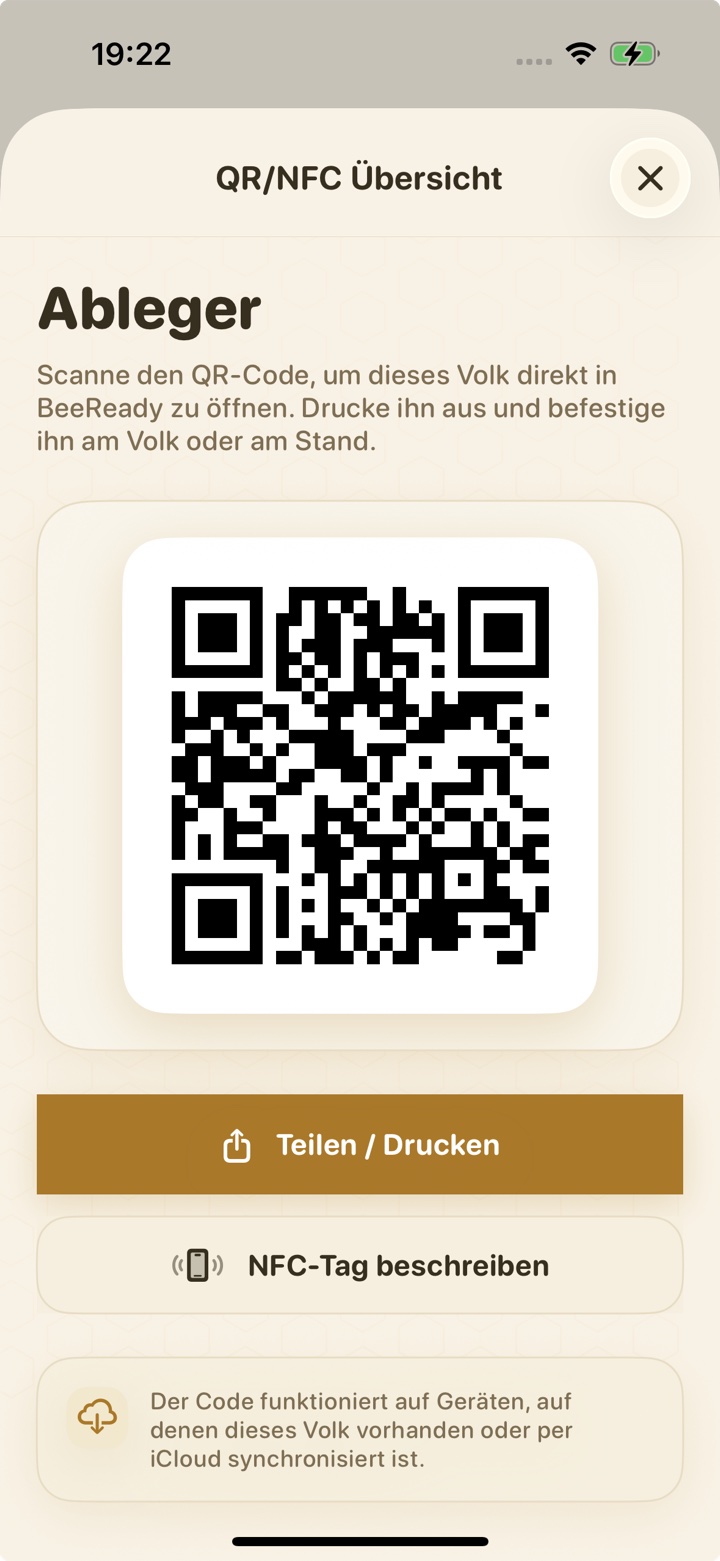
Open the correct colony with a QR code or NFC tag.
BeeReady Pro can create a printable QR code or write an NFC tag for direct access to a colony already available on the device.
- ✓Printable QR codeAttach a durable label to the hive.
- ✓Writable NFC tagTap a compatible tag to open the colony.
- ✓Safe fallbackA clear message appears when the colony has not synchronised or no longer exists.
The information you need without a paper trail.
Apiary and name
Know which colony belongs to which site.
Queen history
Keep year, origin and changes traceable.
Photos in context
Store images with the colony or a specific inspection.
Hive structure
Record boxes, frames and occupied seams.
Frequently asked questions about digital hive records.
What belongs in a digital hive record?
A useful record combines stable hive information with a dated history: apiary, hive type, queen, boxes, frames, inspections, photos, treatments, feeding and harvests.
Can I attach photos to a colony?
Yes. Photos can be stored with the colony and with individual inspections so that observations remain in context.
Can QR codes and NFC tags open a colony directly?
Yes. BeeReady Pro can create a QR code or write an NFC tag that opens the matching colony on a device where that colony is available.
Explore more of BeeReady
Give every colony a reliable history.
Create your first digital hive record in BeeReady.